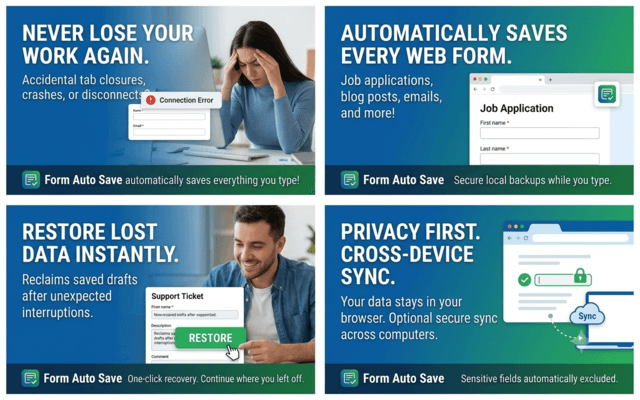
Have you ever spent 30 minutes filling out an online job application, writing a long email, or completing a support ticket, only to lose everything because the page refreshed or your browser crashed?
It's one of the most frustrating experiences on the web.
Fortunately, there's a simple solution: Form Auto Save.
Form Auto Save is a lightweight Chrome extension that automatically saves everything you type into online forms, textareas, and web editors. If your browser crashes, your internet disconnects, or you accidentally close a tab, you can restore your work instantly.
Why You Need Form Auto Save
Millions of people lose important work every day because websites don't automatically save drafts.
Common situations include:
- Browser crashes
- Accidental page refreshes
- Closing the wrong tab
- Session timeouts
- Unexpected logouts
- Internet connection issues
- Computer restarts
- Website errors
Instead of starting from scratch, Form Auto Save lets you recover your work with a single click.
Automatically Save Every Web Form
Form Auto Save works silently in the background while you type.
It automatically creates local backups for:
- Job applications
- Contact forms
- Blog posts
- Email drafts
- Customer support tickets
- Forum replies
- CMS editors
- Research notes
- Online assignments
- Survey responses
- Long comments
- Almost any browser-based form
No manual saving is required.
Instant Form Recovery
If you accidentally lose your work, simply restore your saved draft.
Whether you refreshed the page, your browser crashed, or the website logged you out, your text is ready to be recovered.
No more wasting time rewriting everything.
Powerful Features
Form Auto Save includes several features designed to make online work safer and easier.
- Automatic form backup while typing
- One-click recovery
- Draft version history
- Website ignore list
- Cross-device synchronization
- Lightweight performance
- Fast local storage
- Works silently in the background
Privacy Comes First
Unlike many browser extensions, Form Auto Save keeps your information on your own computer.
Your data is never uploaded to external servers.
The extension also ignores sensitive information such as:
- Password fields
- Credit card numbers
- Security codes
- PINs
- Other protected inputs
Your drafts remain private and secure.
Who Should Use Form Auto Save?
This extension is perfect for anyone who regularly fills out online forms, including:
- Students
- Bloggers
- Writers
- Journalists
- Developers
- Recruiters
- HR professionals
- Freelancers
- Remote workers
- Customer support teams
- Researchers
If you type online, you'll benefit from having automatic form backups.
Why Form Auto Save Is Different
Many websites still don't automatically save your progress.
Form Auto Save fills that gap by providing:
- Automatic web form backup
- Instant form recovery
- Local draft storage
- Secure browser-based backups
- Fast performance
- Easy one-click restore
It's designed to be simple, reliable, and privacy-focused.
Download Form Auto Save
Stop losing important work because of browser crashes or accidental refreshes.
Protect every form you fill out and recover your drafts whenever you need them.
Get Form Auto Save today:
👉 https://saahmed.gumroad.com/l/osagmd
You can also discover more Chrome extensions, productivity tools, tutorials, and web development articles at AhmadBlogs.com.
Final Thoughts
Losing an important online form is frustrating, but it doesn't have to happen again.
Whether you're applying for jobs, writing articles, submitting support tickets, or filling out long forms, Form Auto Save ensures your work is always protected.
Install Form Auto Save today and never lose your work again.