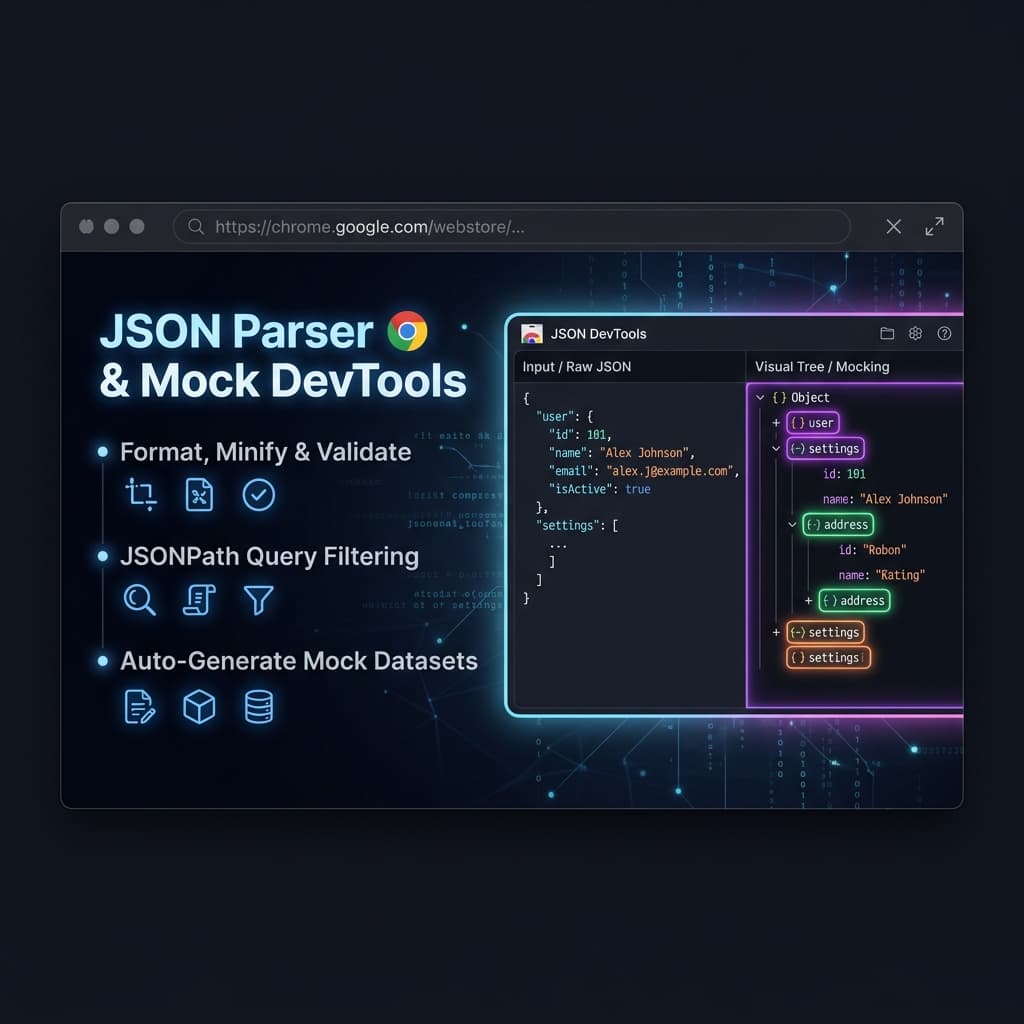
As developers, we interact with JSON data all day long—debugging REST endpoints, testing webhooks, and structuring configuration files. While the browser's default inspection tools are decent, they often lack capabilities such as fast syntax validation, JSONPath filtering, and local mock data generation.
To address these limitations, I built JSON Parser & Mock DevTools—a high-performance Chrome extension that provides a quick-format popup alongside a powerful split-pane editor workspace.
Architecture: Popup + Workspace Tab
To keep the extension lightweight and user-friendly, I structured it into two separate views using Manifest V3:
Quick-Paste Popup (popup.html)
A compact interface for formatting or minifying small blocks of JSON with a single click.
DevTools Workspace (dashboard.html)
A full-page environment designed for:
- Analyzing large JSON datasets
- Filtering keys using queries
- Building and testing mock APIs
- Viewing JSON as an interactive tree structure
Since the extension runs 100% client-side, it only requests the storage permission to preserve the last 10 actions. This minimal permission footprint significantly simplifies the Chrome Web Store review process and often results in faster approvals.
High-Performance UI Features & Implementation
1. Synchronized Line Number Gutter
Rather than relying on heavyweight editor libraries such as Monaco or Ace, I implemented a lightweight synchronized line-number gutter.
A helper .line-numbers panel sits beside a standard <textarea>, and both remain aligned by synchronizing their scroll positions.
Scroll Synchronization
// Synchronize scroll position between textarea and line number gutter
jsonInput.addEventListener('scroll', () => {
  lineNumbers.scrollTop = jsonInput.scrollTop;
});
Dynamic Line Number Updates
function updateEditorDetails() {
  const lines = jsonInput.value.split('\n');
  let linesHtml = '';

  for (let i = 1; i <= lines.length; i++) {
    linesHtml += `<div>${i}</div>`;
  }

  lineNumbers.innerHTML = linesHtml;
}
Benefits
- No external editor dependency
- Faster load times
- Lower memory usage
- Full control over UI behavior
2. Collapsible Interactive Tree Node Viewer
Instead of displaying JSON as plain formatted text, the Tree Viewer renders an interactive, collapsible structure.
The renderer recursively traverses the JSON object and generates DOM elements with syntax-aware styling for:
- Strings
- Numbers
- Booleans
- Null values
- Objects
- Arrays
Tree Renderer
function buildDOMTree(val, key = null) {
  const nodeEl = document.createElement('div');
  nodeEl.className = 'tree-node';

  const itemEl = document.createElement('div');
  itemEl.className = 'tree-item';

  // Render Key
  if (key !== null) {
    const keyEl = document.createElement('span');
    keyEl.className = 'tree-key';
    keyEl.textContent = `"${key}":`;
    itemEl.appendChild(keyEl);
  }

  // Render Value depending on data type
  if (val === null) {
    itemEl.innerHTML += '<span class="tree-value type-null">null</span>';
  } else if (typeof val === 'number') {
    itemEl.innerHTML += `<span class="tree-value type-number">${val}</span>`;
  } else if (typeof val === 'string') {
    itemEl.innerHTML += `<span class="tree-value type-string">"${val}"</span>`;
  } else if (typeof val === 'object') {
    // Recursively append collapse toggle arrows and child nodes...
  }

  return nodeEl;
}
Benefits
- Easier navigation of deeply nested objects
- Expand/collapse functionality
- Improved readability for large JSON files
- Visual distinction between data types
3. Client-Side Mock Data Generator
To help developers continue frontend development before backend services are available, the extension includes a built-in mock data generator.
Users can define a simple schema template, and the generator produces realistic JSON datasets.
Example Schema
{
  "id": "index",
  "username": "name",
  "role": "choose|Admin|Editor"
}
Mock Record Generator
function generateMockRecord(schema, index) {
  const record = {};

  for (let key in schema) {
    const rule = schema[key];

    if (rule === 'id' || rule === 'index') {
      record[key] = index;
    } else if (rule === 'name') {
      record[key] = getRandomName();
    } else if (rule.startsWith('choose|')) {
      const options = rule.replace('choose|', '').split('|');
      record[key] =
        options[Math.floor(Math.random() * options.length)];
    }
  }

  return record;
}
Benefits
- Rapid frontend prototyping
- Local API simulation
- Consistent test data generation
- No dependency on external services
Privacy First
One major drawback of many online JSON formatting tools is that sensitive data may be transmitted to remote servers. This can include:
- API keys
- User information
- Financial transactions
- Internal configuration files
JSON Parser & Mock DevTools operates entirely within the browser.
Security Characteristics
- 100% client-side execution
- No network requests
- Local Chrome storage only
- Offline functionality
- Enterprise-friendly privacy model
Because all parsing and processing occur within the extension's sandbox, no JSON data ever leaves the user's machine.
Conclusion
By focusing on performance, simplicity, and privacy, I was able to build a highly responsive Chrome extension tailored for modern development workflows.
The combination of:
- Instant JSON formatting
- Interactive tree visualization
- Lightweight editor tooling
- Client-side mock data generation
makes it a practical utility for developers working with APIs and structured data daily.
You can explore the repository and source code on GitHub:
Sana720/json-fomratter