Website Time Tracker
Automatically Track Website Time, Boost Productivity & Export Timesheets
About the Product
Website Time Tracker
Automatic Website Time Tracking for Better Productivity
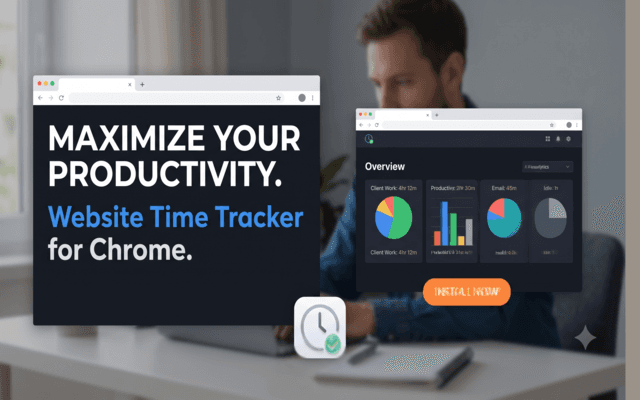
Website Time Tracker Pro is a powerful Chrome extension that automatically tracks the time you spend on websites without requiring manual timers. Designed for freelancers, developers, remote workers, students, agencies, and professionals, it helps you understand your browsing habits, improve focus, and generate accurate timesheets effortlessly.
Unlike traditional time trackers, Website Time Tracker Pro works silently in the background by monitoring only your active browser tab. Intelligent idle detection automatically pauses tracking whenever you're away from your computer, ensuring every report reflects your actual working time.
Built with privacy in mind, all browsing activity, website statistics, and time logs are stored locally on your device. No accounts are required, no cloud storage is used, and your browsing history is never shared with third parties.
Key Features
Track website usage automatically without starting or stopping timers.
Automatically pauses tracking when you're inactive for more accurate reports.
Monitor unlimited websites and online tools with the Pro version.
View daily, weekly, and monthly productivity reports with visual charts.
Export professional timesheets for invoicing, reporting, or payroll.
Your browsing history and analytics remain securely stored on your device.
Free vs Pro
| Feature | Free | Pro |
|---|---|---|
| Automatic Website Tracking | Included | Included |
| Tracked Websites | Up to 3 | Unlimited |
| Smart Idle Detection | Included | Included |
| Productivity Dashboard | Basic | Advanced |
| PDF Export | — | Included |
| CSV Export | — | Included |
| Future Updates | Limited | Included |
Privacy & Security
- All website activity is stored locally on your device.
- No cloud storage or external servers.
- No user account required.
- No tracking or advertising.
- Your browsing history remains private.
- Fast, lightweight, and optimized for Chrome.
Perfect For
Track billable hours for clients.
Monitor coding sessions and research time.
Measure daily productivity and work habits.
Stay focused while studying online.
Generate timesheets for projects and clients.
Analyze productivity across work applications.
How to Activate Pro
- Purchase your Website Time Tracker Pro license.
- Install the Chrome extension.
- Open the extension dashboard.
- Go to the Licensing section.
- Paste your license key.
- Click Activate Pro to unlock all premium features instantly.
Key Features
- Automatic website time tracking
- Real-time active tab monitoring
- Smart idle detection
- Unlimited website tracking
- Daily productivity reports
- Weekly and monthly reports
- Interactive analytics dashboard
- PDF timesheet export
- CSV timesheet export
- Privacy-first local storage
- No cloud syncing
- No user accounts required
- Lightweight Chrome extension
- One-click Pro activation
- Future updates included
Frequently Asked Questions
What is Website Time Tracker Pro?
Website Time Tracker Pro is a Chrome extension that automatically tracks the time you spend on websites. It helps you monitor productivity, analyze browsing habits, and generate professional timesheets without manually starting or stopping timers.
How does the extension track my time?
The extension automatically records the time spent on the active browser tab. Tracking pauses when you switch tabs, minimize the browser, or become idle, ensuring accurate time reports.
Is my browsing data private?
Yes. Website Time Tracker Pro is privacy-first. All website activity, time logs, and reports are stored locally on your device. Your data is never uploaded, shared, or sold.
Do I need to create an account?
No. The extension works without creating an account or signing in. Simply install it and start tracking your browsing time.
What is Smart Idle Detection?
Smart Idle Detection automatically pauses tracking when you're away from your computer, preventing inactive time from being included in your reports.
Specifications
- Built With
- Chrome ExtensionJavaScriptManifest V3Chrome Tabs APIChrome Storage APIChart.jsHTML5CSS3Local StoragePDF ExportCSV Export
- Released
- June 2026
- License
- Single-user Commercial License
- Support
- Lifetime Updates & Help Desk